
Download Machined – AI‑Powered Writing Tool, Secure Subscription App
Overview of Machined
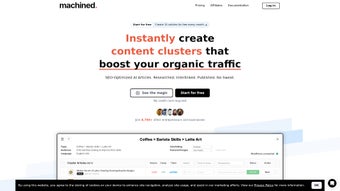
Machined is a subscription‑based web application that sits at the intersection of artificial intelligence and creative writing. Launched on Softonic on June 7th 2025, this AI‑text & writing platform promises to help writers, marketers, and students generate high‑quality content faster. Because it runs entirely in the browser, there is no need for heavyweight installations; you simply open a supported browser, log in, and start typing. Machined supports major browsers—including Internet Explorer, Firefox, Opera, Safari, and Chrome—making it accessible on almost any device that can reach the internet. The service is positioned as a secure, continuously updated solution that benefits from cloud‑based AI models, ensuring that users always work with the latest language‑generation technology without manual patches.
While we have not yet performed a hands‑on test, the public information indicates a focus on user‑friendly design, real‑time suggestions, and a library of customizable templates for blog posts, email drafts, social‑media copy, and more. The subscription model provides tiered pricing, allowing individuals to start with a free trial before committing to a monthly or annual plan. This flexible approach makes Machined a compelling option for freelancers who need occasional assistance as well as agencies looking for scalable writing power.
Below you will find a deep dive into Machined’s core features, how to get started, and answers to common questions. Whether you are a seasoned content creator or just beginning to explore AI‑assisted writing, this review will help you decide if Machined fits your workflow.
Key Features, Benefits, and Drawbacks
Feature List
- AI‑driven content generation with contextual awareness.
- Customizable writing templates for blogs, emails, ads, and social media.
- Real‑time grammar, style, and tone suggestions.
- Collaboration mode that allows multiple users to edit the same document.
- Version history and rollback capabilities.
- Secure cloud storage with end‑to‑end encryption.
- Integrations with popular CMS platforms (WordPress, HubSpot) and Google Docs.
- Multi‑language support for English, Spanish, French, German, and more.
- Analytics dashboard showing word count, readability scores, and AI usage metrics.
- Regular model updates delivered automatically through the subscription.
Pros
- Ease of access: Runs in any modern browser, eliminating the need for downloads.
- Continuous improvement: AI models are refreshed automatically, keeping the tool up‑to‑date.
- Collaboration friendly: Real‑time co‑authoring speeds up team projects.
- Secure data handling: Encryption safeguards your drafts and personal information.
- Flexible pricing: Tiered subscription lets you pay only for the features you need.
Cons
- Reliance on an internet connection; offline work is not possible.
- AI suggestions may occasionally miss nuanced industry jargon.
- Higher‑tier plans can become costly for small teams.
- Limited free trial period may not be enough to explore all functionalities.
- Browser compatibility issues may arise with older versions of Internet Explorer.
Installation, Compatibility, and How to Use Machined Effectively
Getting Started – No Download Required
Since Machined is a web‑based service, the “installation” process consists of creating an account and choosing a subscription plan. Follow these steps to begin:
- Visit the official Machined website and click “Sign Up”.
- Enter your email address, create a strong password, and verify your account via the confirmation link.
- Choose a subscription tier—Free trial, Professional, or Enterprise—and complete the payment if needed.
- Once logged in, you will be taken to the dashboard where you can create a new document or select a template.
Browser Compatibility
Machined is designed to work on all major browsers, including Internet Explorer, Firefox, Opera, Safari, and Chrome. For the best experience, we recommend using the latest version of Chrome, Firefox, or Safari, as they provide the most robust support for modern JavaScript APIs that power AI interactions. Older browsers, especially legacy versions of Internet Explorer, may experience slower loading times or limited functionality.
Typical Workflow
After logging in, you can select a pre‑built template or start from a blank canvas. As you type, Machined’s AI engine analyses the context and offers suggestions in a side panel. You can accept, reject, or edit these suggestions. The platform also includes a tone selector (formal, casual, persuasive, etc.) that adjusts the AI’s output to match your desired voice. When the draft is ready, you can export it as a .docx, .pdf, or directly publish to integrated CMS platforms.
Tips for Maximizing Productivity
- Use the “Prompt Library” to feed the AI with detailed instructions; the clearer the prompt, the better the output.
- Leverage the collaboration mode for real‑time feedback from teammates.
- Regularly review the version history to track changes and revert if needed.
- Enable the analytics dashboard to monitor readability scores and optimize your content for SEO.
- Take advantage of multi‑language support when creating global campaigns.
Frequently Asked Questions & Final Thoughts
Is there a free version of Machined?
Machined offers a limited free trial that includes access to core AI features and a handful of templates. After the trial expires, you must upgrade to a paid plan to continue using the service.How secure is my data on Machined?
Machined uses end‑to‑end encryption for all documents stored in the cloud. Access is protected by two‑factor authentication, and the platform complies with GDPR and CCPA regulations.Can I integrate Machined with my existing CMS?
Yes, Machined provides native integrations with WordPress, HubSpot, and other popular content management systems, allowing you to publish drafts directly from the app.Does Machined support offline writing?
Because the AI processing occurs on the server, an active internet connection is required. Offline mode is not currently available.What languages are available?
Machined supports English, Spanish, French, German, Italian, Portuguese, and several other languages. Language packs can be switched in the user settings.Conclusion – Should You Download Machined?
Machined positions itself as a versatile, AI‑enhanced writing assistant that can streamline content creation for individuals and teams alike. Its browser‑based delivery means you can start writing instantly without the hassle of installations, and the continuous model updates keep the tool relevant in a fast‑evolving AI landscape. While the reliance on an internet connection and the higher cost of premium tiers are noteworthy considerations, the security features, collaborative environment, and rich template library make it a strong contender in the AI‑text & writing niche.
If you’re looking for a secure, subscription‑based app that adapts to multiple writing scenarios—from blog posts to marketing copy—Machined deserves a try. Start with the free trial, explore the templates, and decide whether the productivity boost justifies the subscription fee. Happy writing!



.png)



